Try BenchTrack on your own bench before you buy it.
BenchTrack Trial is the free version of my local, offline repair-management software built for independent watchmakers, clockmakers, hobbyists, and small repair shops.
The Trial gives you the BenchTrack workflow with no time limit, so you can actually use it for real repairs and decide whether it fits your bench.
No account. No cloud. No subscription. No internet required.
Your repair data stays on your computer.
What You Can Do
Create repair tickets for both watches and clocks and keep the information that normally ends up scattered across paper envelopes, notebooks, spreadsheets, photos, and sticky notes in one place.
Track customer information, manufacturer, model, serial number, movement/caliber, reported problems, requested work, private bench notes, customer notes, repair status, parts, photos, financials, shipping, payment information, and repair history.
Completed repairs can be archived without losing their history.
Built-In Bench Timer
Start and stop a timer directly from a repair to track how much time you actually spend at the bench.
BenchTrack supports multiple work sessions, manual time entries, corrections, task descriptions, and total accumulated bench time.
Timer records remain separate from billing, so tracking your bench time doesn't automatically change what you're charging the customer.
Invoicing
Create professional invoices directly from your repair records.
New invoices populate from the repair's current customer charges, including service/labor, parts, and return shipping. Once saved, the invoice becomes a historical snapshot.
Invoices can be reviewed, tracked for payment, printed, or saved as PDF.
Customer Service Reports
Create a customer-facing record showing the work performed on a watch or clock.
Service Reports can include service details, selected repair photos, and optional bench time. Once finalized, the report is preserved as a historical snapshot so later repair edits don't rewrite the completed report.
Photos, Parts & Repair History
Attach photos to repairs, record parts used or ordered, maintain repair history, and keep internal bench information separate from customer-facing documents.
Everything stays tied to the repair ticket for future reference.
Work Orders & 4×6 Bench Labels
Print a detailed Work Order or a compact 4×6 Work Label for the physical job at your bench.
The 4×6 label includes the important repair information and a scannable barcode while leaving out unnecessary customer contact, pricing, and payment information.
Local Backup & Restore
Your Trial data can be backed up locally and restored later.
BenchTrack v1.6.4 backups preserve the application database along with stored photos, attachments, and shop logo.
The current backup system also includes restore contents preview, version and schema information, creation timestamp, database checksum, automatic safety backup before replacement, and safe migration of supported older BenchTrack databases.
Trial Limits
There is no time limit.
The Trial is limited to:
3 customers
3 repair tickets
The three-repair limit is a lifetime Trial limit. Archiving or deleting a repair does not create another Trial slot.
Your existing records remain available so you can continue exploring BenchTrack and reviewing the work you've entered.
If BenchTrack works for your bench, purchase the Full version to remove the Trial limits.
Built for the Bench, Not the Cloud
BenchTrack is intentionally local-first.
No monthly fee.
No account.
No cloud storage.
No telemetry.
No internet connection required.
Your customer and repair information remains on your computer rather than being stored on an external service.
Current Version
BenchTrack Trial v1.6.4
Windows portable application. No Python, command line, or development environment required.
Free to try. No time limit. Limited to 3 customers and 3 repair tickets.
Like it? Upgrade to BenchTrack Full for $49.99 and remove the Trial limits.
Try BenchTrack on your own bench before you buy it.
BenchTrack Trial is the free version of my local, offline repair-management software built for independent watchmakers, clockmakers, hobbyists, and small repair shops.
The Trial gives you the BenchTrack workflow with no time limit, so you can actually use it for real repairs and decide whether it fits your bench.
No account. No cloud. No subscription. No internet required.
Your repair data stays on your computer.
What You Can Do
Create repair tickets for both watches and clocks and keep the information that normally ends up scattered across paper envelopes, notebooks, spreadsheets, photos, and sticky notes in one place.
Track customer information, manufacturer, model, serial number, movement/caliber, reported problems, requested work, private bench notes, customer notes, repair status, parts, photos, financials, shipping, payment information, and repair history.
Completed repairs can be archived without losing their history.
Built-In Bench Timer
Start and stop a timer directly from a repair to track how much time you actually spend at the bench.
BenchTrack supports multiple work sessions, manual time entries, corrections, task descriptions, and total accumulated bench time.
Timer records remain separate from billing, so tracking your bench time doesn't automatically change what you're charging the customer.
Invoicing
Create professional invoices directly from your repair records.
New invoices populate from the repair's current customer charges, including service/labor, parts, and return shipping. Once saved, the invoice becomes a historical snapshot.
Invoices can be reviewed, tracked for payment, printed, or saved as PDF.
Customer Service Reports
Create a customer-facing record showing the work performed on a watch or clock.
Service Reports can include service details, selected repair photos, and optional bench time. Once finalized, the report is preserved as a historical snapshot so later repair edits don't rewrite the completed report.
Photos, Parts & Repair History
Attach photos to repairs, record parts used or ordered, maintain repair history, and keep internal bench information separate from customer-facing documents.
Everything stays tied to the repair ticket for future reference.
Work Orders & 4×6 Bench Labels
Print a detailed Work Order or a compact 4×6 Work Label for the physical job at your bench.
The 4×6 label includes the important repair information and a scannable barcode while leaving out unnecessary customer contact, pricing, and payment information.
Local Backup & Restore
Your Trial data can be backed up locally and restored later.
BenchTrack v1.6.4 backups preserve the application database along with stored photos, attachments, and shop logo.
The current backup system also includes restore contents preview, version and schema information, creation timestamp, database checksum, automatic safety backup before replacement, and safe migration of supported older BenchTrack databases.
Trial Limits
There is no time limit.
The Trial is limited to:
3 customers
3 repair tickets
The three-repair limit is a lifetime Trial limit. Archiving or deleting a repair does not create another Trial slot.
Your existing records remain available so you can continue exploring BenchTrack and reviewing the work you've entered.
If BenchTrack works for your bench, purchase the Full version to remove the Trial limits.
Built for the Bench, Not the Cloud
BenchTrack is intentionally local-first.
No monthly fee.
No account.
No cloud storage.
No telemetry.
No internet connection required.
Your customer and repair information remains on your computer rather than being stored on an external service.
Current Version
BenchTrack Trial v1.6.4
Windows portable application. No Python, command line, or development environment required.
Free to try. No time limit. Limited to 3 customers and 3 repair tickets.
Like it? Upgrade to BenchTrack Full for $49.99 and remove the Trial limits.
 Image 1 of 8
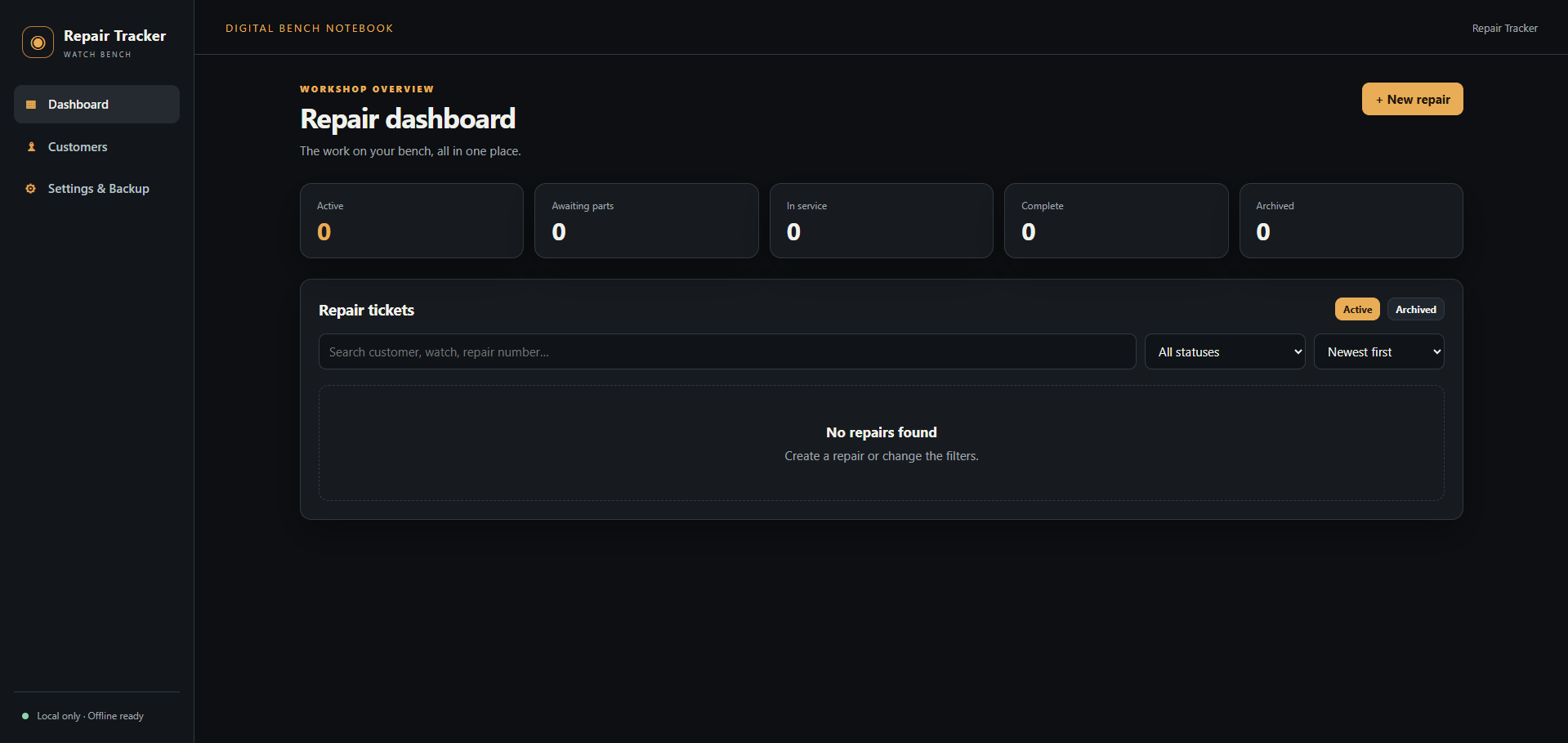 Image 2 of 8
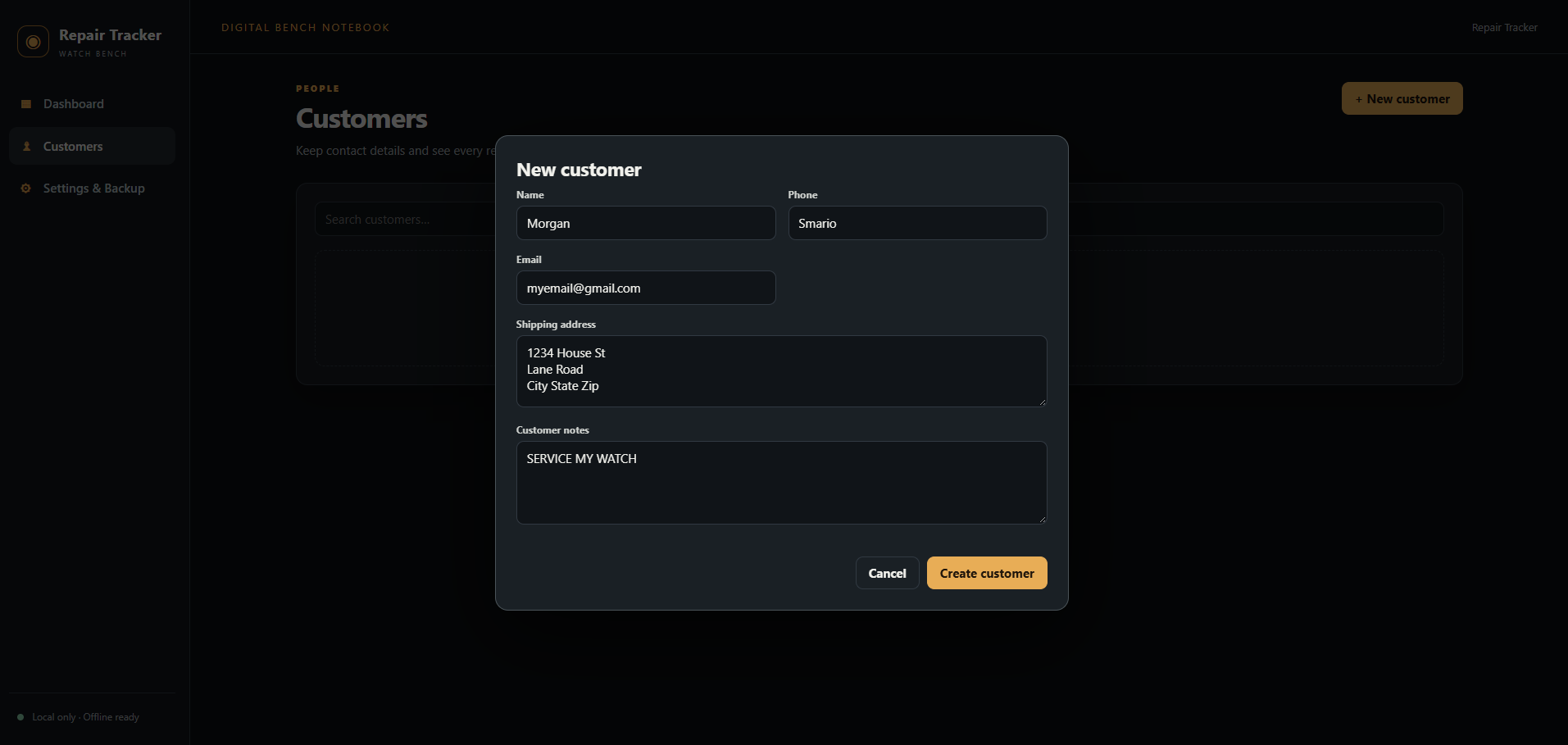 Image 3 of 8
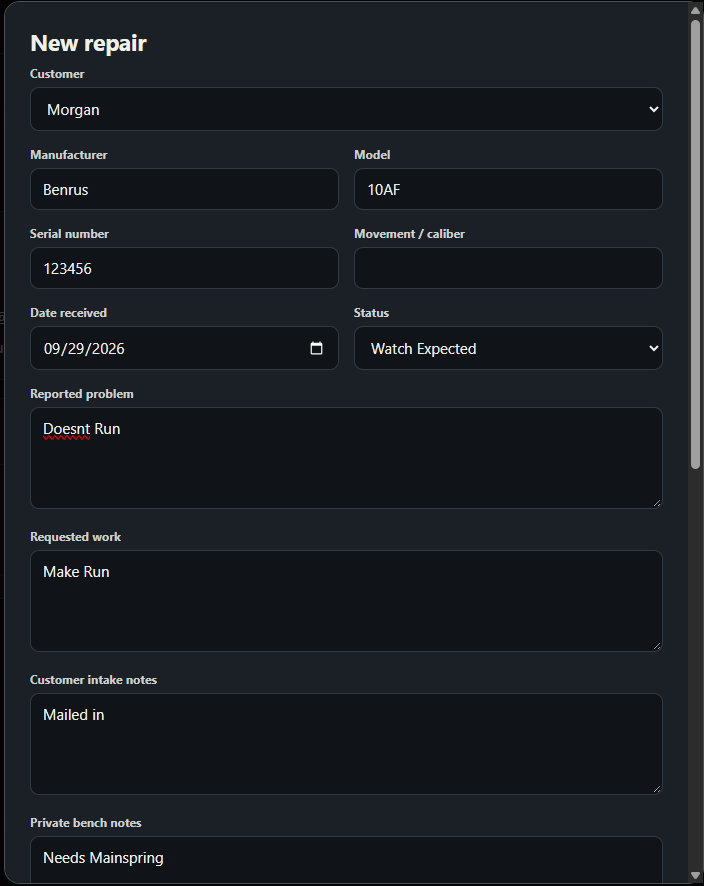 Image 4 of 8
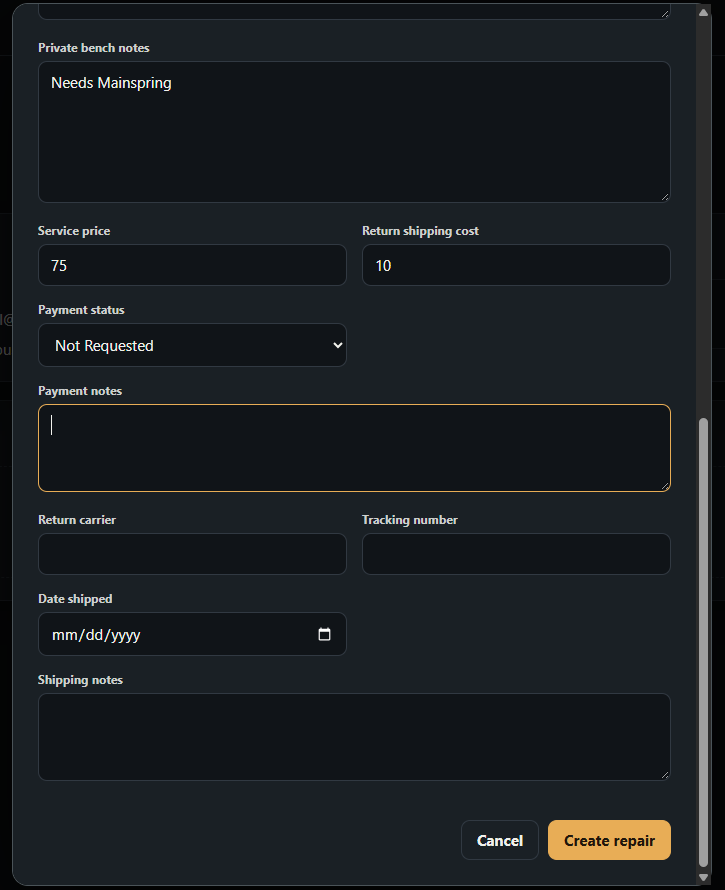 Image 5 of 8
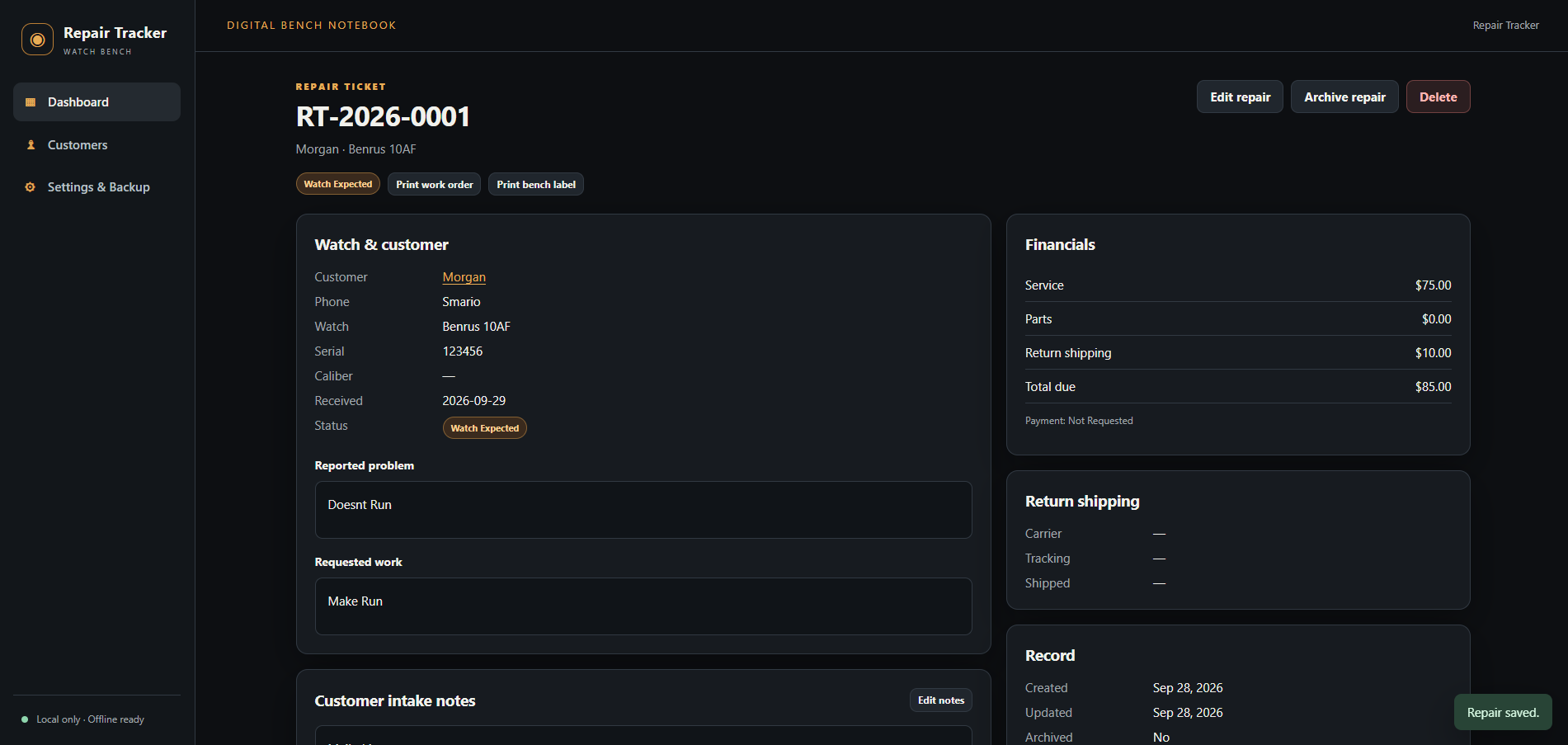 Image 6 of 8
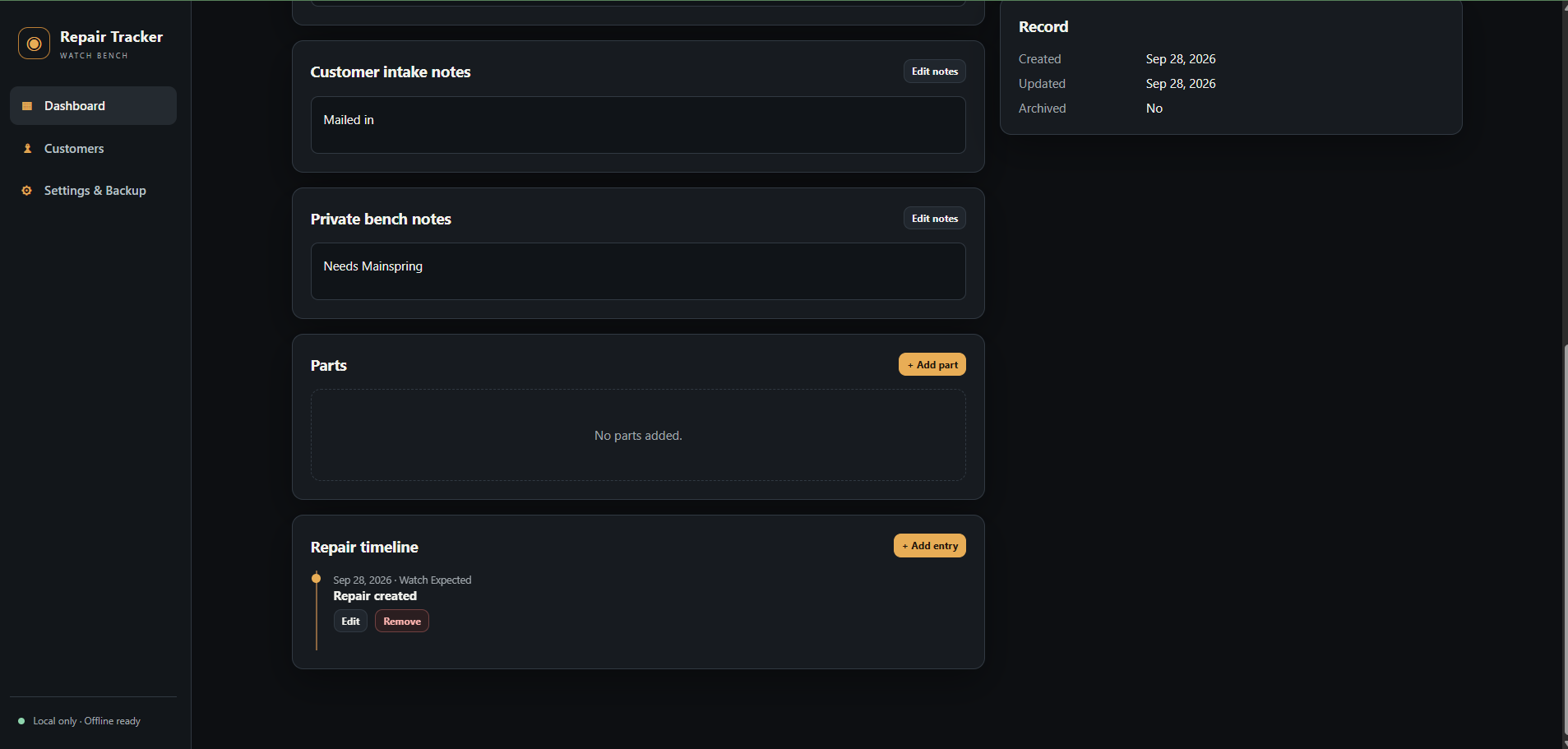 Image 7 of 8
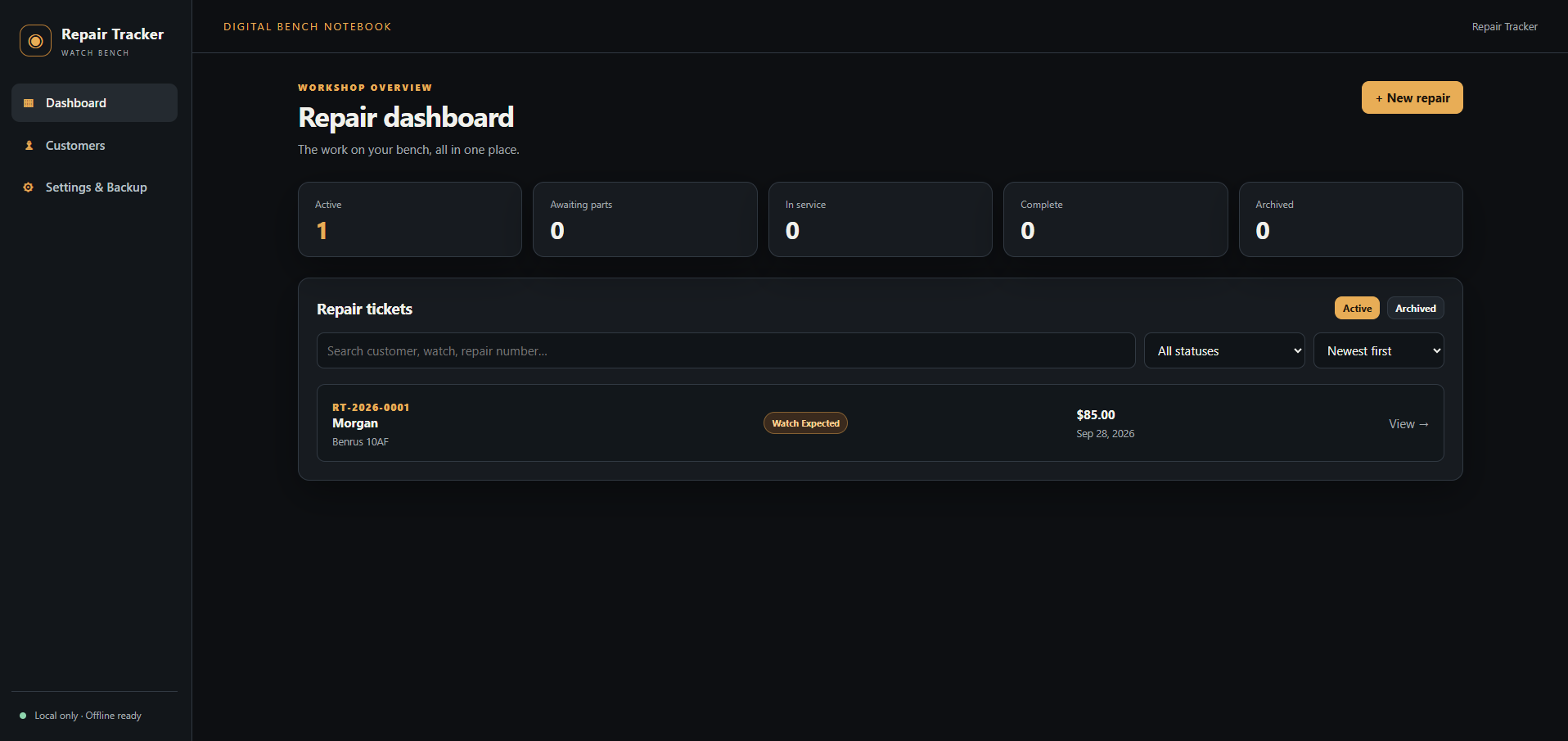 Image 8 of 8